.svg)
Use IES-based photometric software to simulate light, optimize fixture placement, reduce energy use, and produce compliance-ready reports.

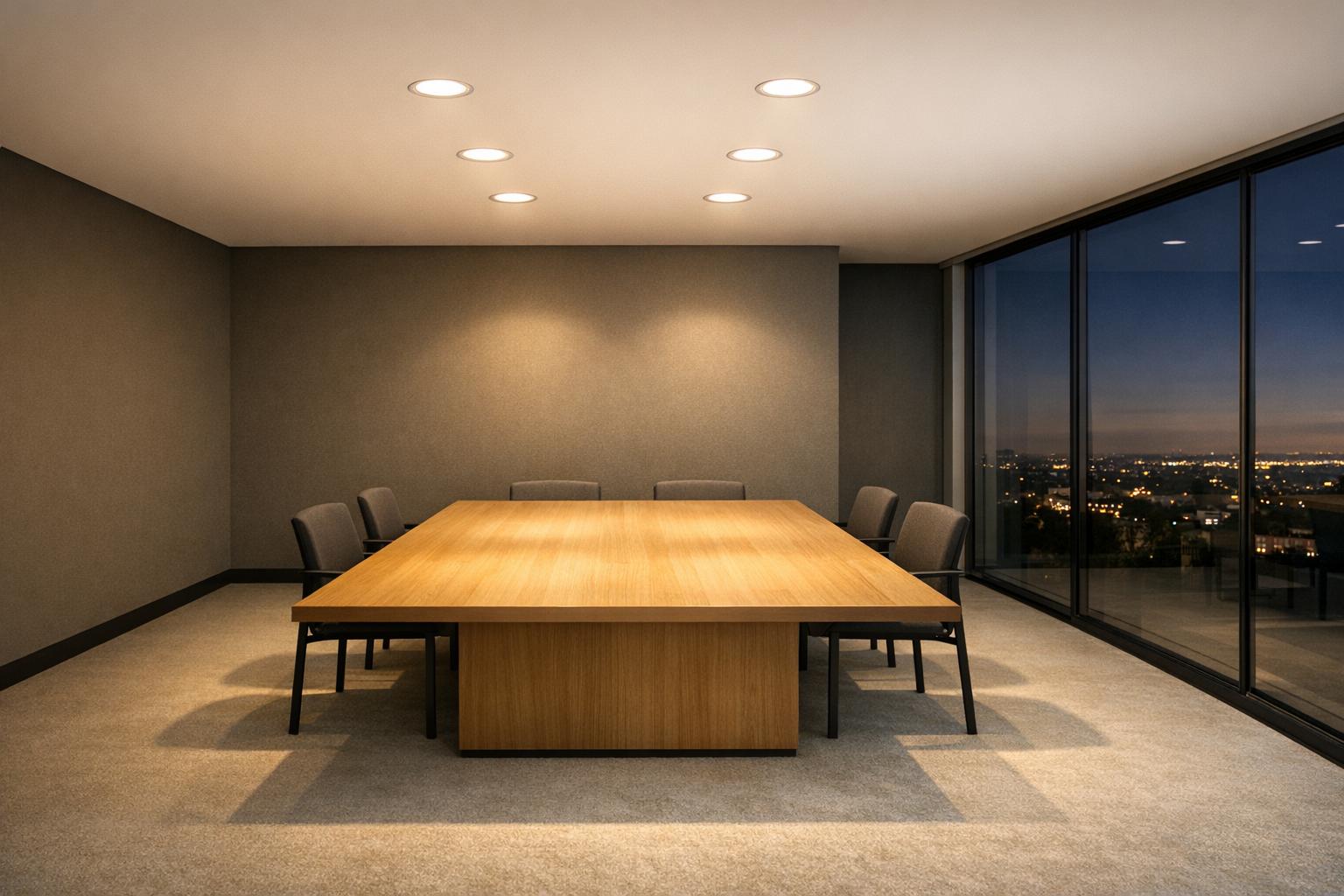
Photometric software helps lighting designers predict how light will behave in a space before installation. By using IES files - manufacturer-provided data on light intensity and distribution - it creates detailed 3D simulations to optimize fixture placement, reduce energy use, and meet regulations. Key benefits include:
This software simplifies the design process, improves lighting precision, and ensures compliance, making it essential for modern projects.
Photometric software is designed to process IES files and create detailed 3D simulations of how light behaves. At its core, it uses IES files - standardized text files provided by lighting manufacturers - that contain precise photometric data. These files specify key details like luminous intensity (measured in candela), beam angles, and light distribution patterns. Using this data, the software constructs a photometric web, which is essentially a 3D representation of how light is emitted from a fixture across a spherical grid. This step forms the foundation for accurate light modeling.
Once the photometric web is established, the software applies techniques like radiosity and point-by-point analysis to simulate how light interacts with surfaces in a virtual environment. These calculations consider factors such as Light Loss Factors and variations in color temperature. The result is a highly detailed simulation that provides metrics like illuminance (measured in footcandles or lux), Unified Glare Rating (UGR), and Lighting Power Density (LPD).
Modern photometric tools often integrate seamlessly with Building Information Modeling (BIM) platforms like Autodesk Revit. This integration allows designers to perform lighting analysis directly within their architectural models. Some tools can even generate automated fixture layout suggestions by analyzing target light levels and recommending the ideal quantity and placement of fixtures.
IES files are the backbone of photometric simulations. These files, as Autodesk explains, are "a text file provided by a lighting manufacturer. It describes the intensity of a light source at points on a spherical grid." They are typically based on LM-79 tested data, ensuring accuracy and compliance with energy standards.
The software extracts critical details from these files, such as luminous dimensions, input wattage, and lamp tilt factors, to set up simulation parameters. Designers can compare the performance of different fixtures by importing IES files from various manufacturers. For instance, the Instabase cloud library offers access to over 500,000 photometric files from numerous manufacturers, giving designers a wide range of options to explore.
A notable feature is the ability to work with both relative photometry (where output is scaled based on lamp lumens) and absolute photometry (commonly used for LEDs, where the fixture and light source are tested together). Advanced users can even create composite photometric files by combining data from multiple LED modules into a single file. However, these composite files are approximations and may not match the precision of lab-tested data.
After importing IES data, the software visualizes how light performs within the modeled environment. Features like pseudocolor analysis, isolines, and spatial maps provide instant feedback on light intensity and coverage, making it easier to spot areas that are over- or under-lit.
As Lighting Analysts explains, "ElumTools' radiosity engine... lets you calculate illuminance, luminance, and daylighting directly within Autodesk Revit environments... providing a true representation of light distribution in interior spaces." This level of precision allows designers to fine-tune fixture placement, adjusting coordinates (X, Y, Z) and angles (tilt, roll, spin) to match real-world installation conditions.
The software also accounts for environmental factors that influence light performance. For example, designers can apply color filters (gels) to simulate lumen depreciation or experiment with different Correlated Color Temperatures (CCT) to compare lighting effects. For outdoor projects, BUG ratings (Backlight, Uplight, and Glare) are evaluated to ensure compliance with dark sky regulations and local lighting ordinances.
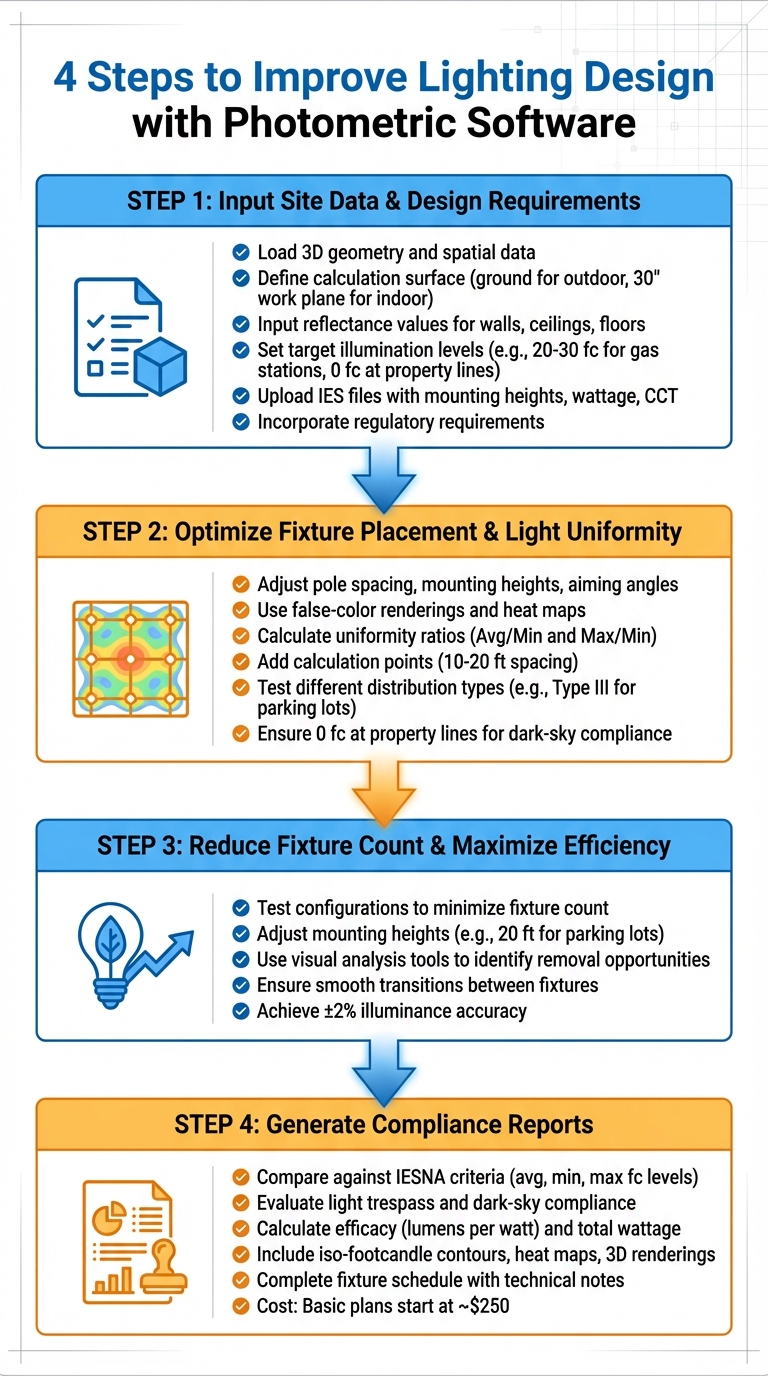
4-Step Process to Improve Lighting Design with Photometric Software
Accurate data entry is the foundation of effective lighting design. Start by loading spatial data and 3D geometry for your project - Google Earth can be a helpful tool for outdoor sites. Define the calculation surface, such as the ground for outdoor areas or a work plane at 30 inches for interior spaces.
Next, input reflectance values for walls, ceilings, and floors, and assign visible transmittance for any glazing. Determine target illumination levels based on the activity at the site - for example, gas station fueling areas typically require 20–30 foot-candles, while property lines should maintain 0 foot-candles to avoid light spillover. Upload IES files for your selected fixtures, ensuring they include details like mounting heights, wattage, and color temperature (CCT). Double-check that the IES files accurately represent the fixtures being used. Finally, incorporate any applicable regulatory requirements, such as local energy codes, safety standards, or light pollution rules.
Once the data is in place, focus on arranging fixtures within the virtual environment. Adjust pole spacing, mounting heights, and aiming angles to create even illumination across the site. Photometric software generates visual tools like false-color renderings and heat maps, which highlight hot spots and dark areas. It also calculates uniformity ratios (Average/Minimum and Maximum/Minimum) to ensure consistent lighting.
Experiment with different IES files and distribution types, such as Type III optics for parking lots, to find the most effective setup for your space. Add calculation points - typically spaced 10–20 feet apart - to confirm that all areas meet the required foot-candle levels. For outdoor designs, ensure light levels drop to 0 foot-candles at property lines to comply with dark-sky regulations.
After achieving uniformity, shift your attention to refining the fixture count and improving efficiency.
Photometric software can help identify the minimum number of fixtures needed to meet your lighting goals. By testing different configurations, you can reduce energy usage and costs without compromising performance. Adjust mounting heights - for instance, 20 feet is common for parking lots - to minimize glare while maintaining coverage.
Visual analysis tools make it easy to spot areas where fixtures can be removed or repositioned, improving efficiency and lowering operating costs. These tools also ensure smooth transitions between fixtures, avoiding harsh contrasts in illumination. High-precision software like AGi32 provides illuminance accuracy within ±2%, making fixture count adjustments more reliable.
Once the layout is finalized, use the software to create detailed compliance reports. These reports compare your design against IESNA criteria for average, minimum, and maximum foot-candle levels, as well as uniformity ratios. For outdoor projects, they also evaluate light trespass at property lines and adherence to dark-sky standards.
The reports include key metrics like efficacy (lumens per watt) and total wattage, which demonstrate compliance with energy codes and certifications like ENERGY STAR. Additionally, they feature visual aids such as iso-footcandle contours, false-color heat maps, and 3D renderings to illustrate light distribution for inspectors or stakeholders. A complete fixture schedule with mounting heights, distribution types, and technical notes rounds out the documentation. Basic professional photometric plans typically start at around $250.
Photometric software takes the guesswork out of lighting design by providing precise calculations for illuminance, luminance, and glare across a 3D environment. This is made possible by integrating IES files - digital profiles containing lab-tested intensity and distribution data from lighting fixtures - directly into the design workflow.
Using radiosity technology, the software simulates how light interacts with surfaces, including reflections and indirect illumination. Designers can assign realistic reflectance and transmittance values to materials like walls, ceilings, and floors, ensuring that the models align closely with real-world conditions. Tools like heat maps and 3D renderings go beyond numbers, visually highlighting areas that might be over-lit or too dim. Additionally, access to a database of over 500,000 photometric files allows designers to simulate nearly any fixture configuration. This level of precision not only improves design quality but also leads to measurable energy savings and cost reductions.
The software helps optimize lighting setups by reducing the number of fixtures needed while still meeting required light levels. It ensures spaces are neither over-lit nor under-lit by aligning designs with recommended standards. Businesses can also calculate ROI and payback periods with confidence before committing to investments, making financial planning more reliable. Optimized lighting designs extend the lifespan of fixtures and reduce maintenance needs, which is particularly beneficial in industrial settings with high ceilings where bulb replacements can disrupt operations. On top of that, these efficiency gains can make projects eligible for utility rebates and tax incentives, such as the 179D deduction, further improving the financial outlook.
Photometric software doesn’t just enhance efficiency and accuracy - it also simplifies compliance with regulations and builds trust among stakeholders. It automates adherence to IESNA recommendations, CIE standards, and regional building codes, which are critical for securing regulatory approval in commercial projects. The software calculates key performance metrics like BUG ratings (Backlight, Uplight, Glare), Luminaire Efficacy Rating (LER), and Upward Waste Light Ratio (UWLR), ensuring designs meet code requirements. In fact, over 70% of U.S. lighting professionals rely on these tools to create code-compliant designs.
"Automates code compliance and produces documentation that reduces redesign risks and speeds up approvals." - Lighting Analysts
The detailed compliance reports generated by the software - including iso-footcandle contours, false-color heat maps, and 3D renderings - serve as official documentation for inspectors and stakeholders, streamlining the approval process. Additionally, built-in validation tools allow designers to check and correct manufacturer IES files, ensuring that simulations accurately reflect fixture performance and preventing costly adjustments after installation.
Photometric software plays a key role in achieving precise lighting design by delivering highly accurate simulations. By utilizing IES files, designers can predict how light will perform in actual environments. This accuracy translates into energy savings, optimized fixture placement, and compliance with standards from organizations like IESNA, CIE, and local building codes.
Beyond improving design accuracy, photometric software also simplifies the workflow. With features like integration into BIM platforms such as Revit and automated compliance reporting, it speeds up approval processes and builds trust among stakeholders. These advantages make photometric software essential for projects where precise lighting performance is non-negotiable.
"A photometric study is a digital lighting simulation that shows exactly how light will spread in a space before installation. It helps lighting engineers, wholesalers, and contractors make the right lighting choices the first time, saving time and money."
- Sirius Xie, Sales Manager, Logos Lighting
Collaborating with experts like Luminate Lighting Group ensures that photometric data translates into successful, energy-efficient installations. They offer a full range of services, including photometric layouts, custom designs, and energy audits tailored to commercial and municipal projects. Whether it's LED retrofits, meeting code requirements, or securing rebates, working with specialists who understand both the tools and their applications ensures your project hits performance goals while maximizing energy efficiency and return on investment.
Accurate lighting design starts with reliable data and ends with tangible results - photometric software makes that connection possible, turning insights into effective, compliant lighting solutions.
An IES file is only as good as its accuracy in representing your fixture's real-world details - its geometry, lamps, and materials. When these elements are correctly aligned, the simulated photometry can closely mirror the results of physical testing, providing dependable and precise outcomes.
Accurate photometric results hinge on several critical factors: precise space measurements, thoughtful fixture placement, appropriate light levels (measured in footcandles or lux), and detailed fixture specifications, such as luminous dimensions and distribution patterns. Together, these elements shape how light is distributed, ensure uniformity, and confirm adherence to relevant standards.
While Revit is a powerful tool, it doesn't eliminate the need for specialized photometric software. Solutions like ElumTools work seamlessly with Revit, enabling accurate lighting calculations and detailed visualizations. This integration not only boosts design precision but also helps meet industry standards, ultimately leading to better project results.


